Over the past few years, creative work has increasingly moved into home offices. Designers, photographers, and video editors started building their careers from compact bedroom setups, often relying on nothing more than a laptop, a mouse, and a keyboard to handle every stage of the process.
Over time, though, that kind of setup began revealing its limits. Long editing sessions, complicated shortcuts, repetitive menu navigation, and constant mechanical tasks can make creative work far more exhausting than it should be.
As a result, many creative setups have gradually evolved beyond the basics. Today, more professionals are looking for tools that genuinely improve their workflow and make their workspace more efficient, even when desk space is limited.
That shift also explains why editing controllers started gaining so much attention. Devices like the TourBox, Stream Deck, and DaVinci Resolve Speed Editor became increasingly popular because they reduce repetitive actions and make the editing experience noticeably smoother on a daily basis.
How Editing Controllers Speed Up Creative Workflow
The promise of speed and efficiency sits at the center of what editing controllers offer. The idea of “editing without looking” starts to feel surprisingly natural once muscle memory takes over.
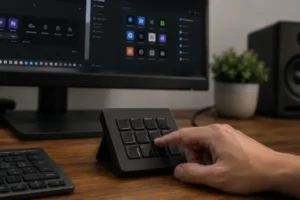
Controllers with differently shaped buttons and tactile controls, like those found on TourBox devices, train muscle memory far more effectively than a traditional flat keyboard where every key feels identical. Instead of constantly glancing down at your hands, your focus stays entirely on the screen, allowing the creative flow to remain uninterrupted.
The difference becomes noticeable surprisingly quickly.
Imagine adjusting both brush size and opacity simultaneously in Photoshop using a dial and a button combination. Or performing a smooth color grade in DaVinci Resolve without repeatedly opening menus or clicking through panels.
Being able to execute multiple actions through tactile and intuitive controls removes friction from the workflow. The entire process starts feeling smoother, more immersive, and much less mechanical, giving professionals more freedom to focus on creative decisions instead of software navigation.
Interface Overload Is Breaking Creative Flow
Creative software has evolved dramatically over the last decade. Modern applications offer more precision, more advanced tools, and nearly endless editing possibilities. The downside is that the interfaces themselves have also become more complex and mentally exhausting.
Programs like Premiere Pro, After Effects, and even Photoshop now hide essential functions behind countless tabs, secondary menus, and crowded panels. Even experienced professionals often find themselves repeating the exact same navigation paths dozens of times throughout the day.
The impact goes far beyond productivity.
There’s a constant mental load involved in locating commands, remembering shortcuts, and navigating increasingly dense interfaces. During long projects, that repetition slowly turns into visual fatigue and broken concentration.
While editing, professionals are usually immersed in creative decisions: the timing of a cut, the pacing of a transition, the intensity of a color grade, or the emotional tone a scene needs to convey. Every time that process is interrupted to search through the interface, the creative rhythm loses continuity.
This is where editing controllers start to feel genuinely useful.
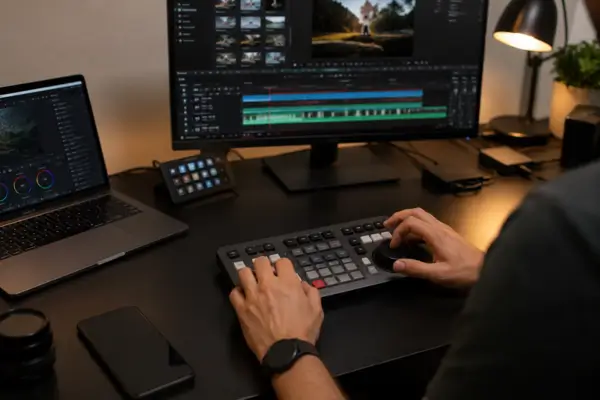
The DaVinci Resolve Speed Editor is a great example of this approach. Instead of constantly relying on timeline zooming, tiny mouse clicks, and navigation bars, editors interact with direct physical controls that feel much more immediate and intuitive.
After some time using it, the experience stops feeling like “operating software” and starts feeling more like working with an actual professional tool. That subtle shift helps reduce the fragmented feeling many editors experience during long editing sessions and makes the entire process mentally lighter, especially on repetitive projects.
Extreme Customization: A Setup That Learns Your Workflow
The real power of editing controllers lies in the software behind them. Modern controllers allow an impressive level of customization that goes far beyond simple shortcuts.
One of the most valuable features is automatic app-based profiles. A controller can detect when you switch from Premiere Pro to Lightroom, for example, and instantly remap every function without requiring any manual adjustment from the user.
Macros are another major advantage, especially for repetitive workflows. Tasks that normally require several clicks can be transformed into a single button press. That could mean exporting files using predefined settings, applying batch color treatments, or triggering entire editing sequences automatically.
Over time, the controller stops feeling like a passive accessory and starts behaving more like an intelligent extension of the user’s workflow.
Instead of forcing professionals to adapt to software limitations, the setup gradually adapts to their habits, making the creative process feel faster, more intuitive, and considerably less draining over long sessions.
The Brands That Actually Make Sense for Creative Professionals
Not every editing controller is designed for the same type of work. That’s one of the most common mistakes people make when buying based only on quick YouTube reviews.
The TourBox Neo and TourBox Elite became especially popular among illustrators, designers, and photographers because of their highly tactile approach. The buttons have different shapes and textures, and the entire device was built to be operated almost entirely by touch.
Meanwhile, the Loupedeck CT gained traction mainly among creators heavily invested in the Adobe ecosystem. Lightroom, Premiere Pro, and Photoshop integrated exceptionally well with the platform’s automatic profiles. However, the recent discontinuation of Loupedeck hardware sales left many users uncertain about long-term support.
In the video editing space, Blackmagic Design controllers operate on another level. The DaVinci Resolve Speed Editor became extremely common in editing setups because it solves a very specific problem: managing long timelines using only a mouse.
The company’s larger panels, like the Micro Panel and Mini Panel, are even more present in professional color grading workflows.
At the same time, the Stream Deck followed a slightly different path. Originally created for streamers, it quickly became popular among motion designers, editors, and content creators because of its massive ecosystem of plugins and automation tools.
One of the most interesting things about this market is how differently these controllers approach workflow problems.
Some prioritize speed. Others focus on customization. Some improve timeline control, while others excel at automating repetitive tasks.
That’s exactly why choosing based purely on specifications often leads to the wrong purchase.
Is It Worth the Investment? The ROI Most People Never Calculate
The biggest objection people usually have when considering an editing controller is the price. But the real return on investment goes far beyond the upfront cost.
The most valuable resource these tools save is time.
If a controller saves even 30 minutes per day during editing sessions, that quickly adds up to more than 10 hours recovered every month. Those extra hours can be redirected into things that genuinely matter: taking on another client, improving project quality, learning a new skill, or simply reducing burnout.
That’s why editing controllers shouldn’t be viewed as luxury accessories or unnecessary gadgets.
Eventually, the value stops being just about convenience. It becomes part of working longer without unnecessary fatigue and keeping the creative process sustainable over time.
In the end, the reason editing controllers gained so much space in creative setups goes far beyond simple speed improvements. These tools became valuable because they eliminate the small interruptions that slowly make creative work more exhausting throughout the day.
In smaller home offices, where every piece of equipment needs to genuinely improve the workflow, many designers and video editors started moving toward setups that feel more functional and less dependent on endless shortcuts, menus, and repetitive actions.
After a while, the benefit stops feeling purely technical. The workflow becomes smoother, the editing process feels more natural, and the work itself becomes far less fragmented.