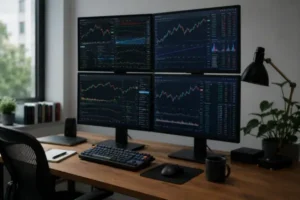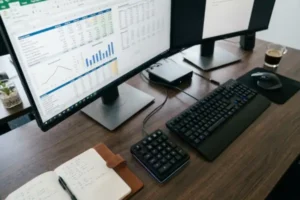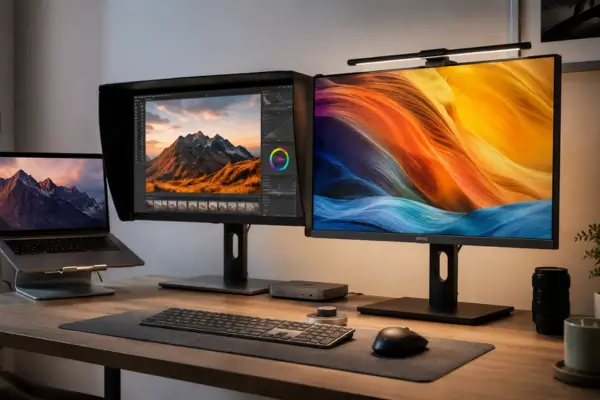
The home office has changed dramatically over the past few years. For many professionals — especially designers — remote work is no longer just a temporary solution. It has become the true center of creativity and productivity.
As workspaces continue to evolve, the search for tools that genuinely improve quality and efficiency becomes increasingly important. A well-optimized setup, where every element supports focus and precision, can completely transform the creative process. And among all these elements, the monitor plays one of the most critical roles.
At first, many designers setting up their workspace are naturally drawn to gaming monitors. Their massive popularity, bold aesthetics, and high refresh rate specifications create the impression of a superior visual experience.
However, while this choice may seem appealing at first glance, it often becomes a strategic mistake for professionals who rely on absolute visual accuracy. This article explores the core reasons why experienced designers are moving away from gaming monitors and choosing professional lines such as BenQ Designer and ASUS ProArt instead.
For creative professionals, precision, consistency, and workflow-focused features matter far more than raw speed when the goal is to create, innovate, and deliver flawless results.
The Battle of Color: Non-Negotiable Accuracy vs. Artificial Saturation
In the world of design, color is everything. Inaccurate reproduction can compromise an entire project, from a brand’s visual identity to the final edit of a commercial photograph. This is where Delta E (ΔE) becomes such an important technical metric.
It measures the difference between the intended color and the color actually displayed by the monitor. For designers, a low value — ideally below 2, and in premium models even below 1 — means the variation is virtually imperceptible to the human eye. That level of color fidelity is an essential part of professional creative work.
Gaming monitors, on the other hand, often prioritize exaggerated saturation and boosted contrast to create a more dramatic visual experience for games. While this may look impressive during gameplay, it significantly distorts the color accuracy required for professional design tasks.
Beyond Delta E, color gamut coverage defines the range of creative possibilities available to the designer. While most gaming monitors are limited to the standard sRGB space, professional displays support much wider gamuts such as Adobe RGB, DCI-P3, and Rec.709.
Each of these standards plays a crucial role in different creative industries: Adobe RGB is essential for professional printing and high-end photography, DCI-P3 is widely used in cinema and video production, and Rec.709 remains the standard for broadcast content.
Working without these color spaces is like trying to paint with an incomplete palette. Access to wider gamuts ensures that a designer’s work remains faithful to the original creative vision across multiple devices and media formats. But displaying accurate colors is only part of the equation.
Maintaining that consistency over time is what truly separates professional monitors from gaming-focused alternatives.
Why BenQ Designer and ASUS ProArt Displays Stand Out for Professionals
Understanding the importance of color is only the first step. Keeping that accuracy stable across different environments and systems is where professional calibration becomes a real game changer.
There is a significant technical difference between software calibration and hardware calibration. Software calibration — common in consumer-grade displays — creates an ICC profile within the operating system that attempts to “correct” the monitor’s colors.
This approach is less stable and can easily be affected by operating system updates or graphics card limitations.
Hardware calibration, found in professional monitors like the BenQ Designer and ASUS ProArt lines, works differently. Instead of relying on the computer, adjustments are made directly inside the monitor’s internal Look-Up Table (LUT). The correction happens at the source itself, ensuring far greater precision regardless of which computer is connected.
Another major advantage of professional displays is individual factory calibration. High-end monitors are not simply mass-produced and shipped out. Each unit goes through rigorous testing and is individually calibrated before reaching the customer.
Many models even include a detailed factory calibration report certifying compliance with industry standards — a level of quality assurance rarely seen in gaming monitors.
This attention to detail gives designers a reliable visual foundation from the very beginning, eliminating the constant stress of manual adjustments and uncertainty about whether colors are truly accurate. That technical confidence allows professionals to focus entirely on creativity instead of constantly second-guessing the display.
Still, even the best calibration loses value if the panel itself suffers from uneven brightness or subtle visual inconsistencies.
Uniformity and Reliability: Eliminating Distortion and Uneven Brightness
Many designers have experienced the frustration of noticing that colors appear slightly different depending on where they are positioned on the screen. This is a common issue in displays focused primarily on speed, where the center may appear brighter while the edges suffer from shadowing or uneven illumination.
Professional monitors address this problem with advanced uniformity technology. These systems electronically compensate for hundreds of sub-regions across the display to ensure that whites, grays, and colors remain consistent from corner to corner. The result is a much more reliable image without the “vignetting” effect that can subtly distort visual perception.
Panel technology and bit depth further reinforce this level of reliability. Professional displays often use advanced IPS panels or technologies such as QD-OLED, offering wider viewing angles and significantly better color stability.
True 10-bit color depth allows the monitor to display over one billion colors, eliminating the “banding” effect — those visible stripes that appear in smooth gradients on lower-quality 8-bit panels.
For photo retouching, illustration, and high-end visual production, smooth tonal transitions make a noticeable difference between amateur-looking work and professional-grade results.
That level of visual consistency makes creative work feel far more seamless. Still, even the best display loses part of its practical value when the workflow itself is slowed down by cable clutter and inefficient connectivity.
Optimized Productivity: Smart Features Designed for Creative Workflows
A modern professional monitor does far more than simply display images — it becomes the central hub of the designer’s entire workspace. USB-C connectivity with Power Delivery is one of the clearest examples of how these displays simplify everyday work.
With a single cable, users can transmit 4K video, transfer data at high speed, and charge a laptop with up to 96W of power simultaneously.
This dramatically reduces desk clutter, which is especially valuable in compact home office setups. In addition, integrated KVM Switch functionality allows designers to control two computers — such as a powerful rendering PC and a MacBook for design work — using the same keyboard and mouse.
Besides saving physical space, it also streamlines transitions between tasks and improves workflow efficiency.
The intelligence of these monitors extends even further through dedicated display modes tailored for specific workflows. BenQ’s M-book Mode, for example, is highly praised because it synchronizes the external monitor’s colors with the Liquid Retina XDR display found on MacBooks, eliminating the common visual mismatch between screens.
For technical workflows like engineering or 3D modeling, CAD/CAM Mode enhances the contrast of fine lines for greater precision. Meanwhile, Darkroom Mode adjusts brightness and contrast to reduce eye strain during long nighttime sessions without sacrificing color accuracy.
These features are not just extras. They are practical productivity tools designed to make the monitor an active part of the creative process.
Even with all these advantages, many professionals still feel tempted by the ultra-high refresh rates promoted by gaming monitors. That makes it important to understand what truly matters in professional design work.
Beyond Speed: Why Refresh Rate Isn’t Everything
Gaming monitor marketing heavily emphasizes refresh rates of 144Hz, 240Hz, or even higher, suggesting that extreme smoothness is essential for every digital experience. For designers, however, this is only partially true.
While smoother interface navigation certainly feels pleasant when moving windows or scrolling through applications, most design tasks — including graphic design, photo editing, and static 3D modeling — gain very little from extremely high refresh rates. For most designers, image stability and pixel accuracy matter far more than ultra-fast refresh rates.
The market is evolving, and some professional monitor lines are now beginning to offer 120Hz or 144Hz refresh rates while still prioritizing color accuracy above everything else. That’s ultimately the balance most creative professionals are looking for.
Still, experienced designers understand that sacrificing visual fidelity for higher refresh rates is a compromise that can directly affect the final quality delivered to clients. True visual accuracy comes from reliable calibration, panel uniformity, and faithful color reproduction.
Ultimately, the growing shift toward professional monitors like the BenQ Designer and ASUS ProArt lines reflects a broader evolution within the creative industry. Designers increasingly recognize that technical precision is not separate from creativity — it is the foundation that supports it.
By prioritizing color fidelity, hardware calibration, and flawless uniformity, creative professionals ensure that their artistic vision reaches the digital world exactly as intended, without distortion or compromise.
Investing in a high-performance monitor for design is far more than buying another piece of hardware. It is an investment in professional credibility, creative confidence, and long-term career growth. Once you know that what appears on your screen is truly what your client will receive, the entire creative process becomes more reliable, more efficient, and far more rewarding.
Reassessing your setup and choosing tools built to preserve image integrity is one of the most important steps for anyone aiming to transform a home office into a true high-performance creative studio.